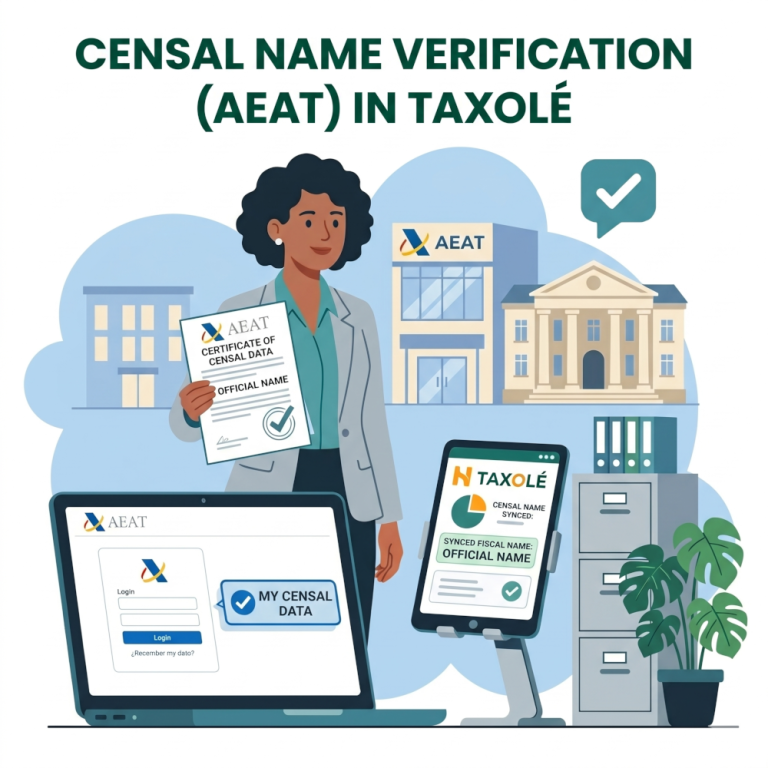
If you’ve noticed that your profile name in our app has changed slightly or appears differently than how you usually spell it, don’t worry! It’s not a mistake.
To ensure maximum legal security and avoid issues with your bills, paperwork, or tax returns, our platform automatically syncs your name with the Official Census of the Spanish Tax Agency (AEAT).
In this article, we’ll show you, step by step, how to check what your official name is with the tax authorities and how to view that information within our interface.
1. How to verify your name in the AEAT Census
The Tax Agency records names as they appear on your ID card (DNI/NIE), but there may sometimes be discrepancies regarding middle names, hyphens, or compound surnames. To check how the AEAT has you registered, follow these steps:
Step 1: Go to the AEAT’s Online Portal: https://sede.agenciatributaria.gob.es/Sede/en_gb/inicio.html
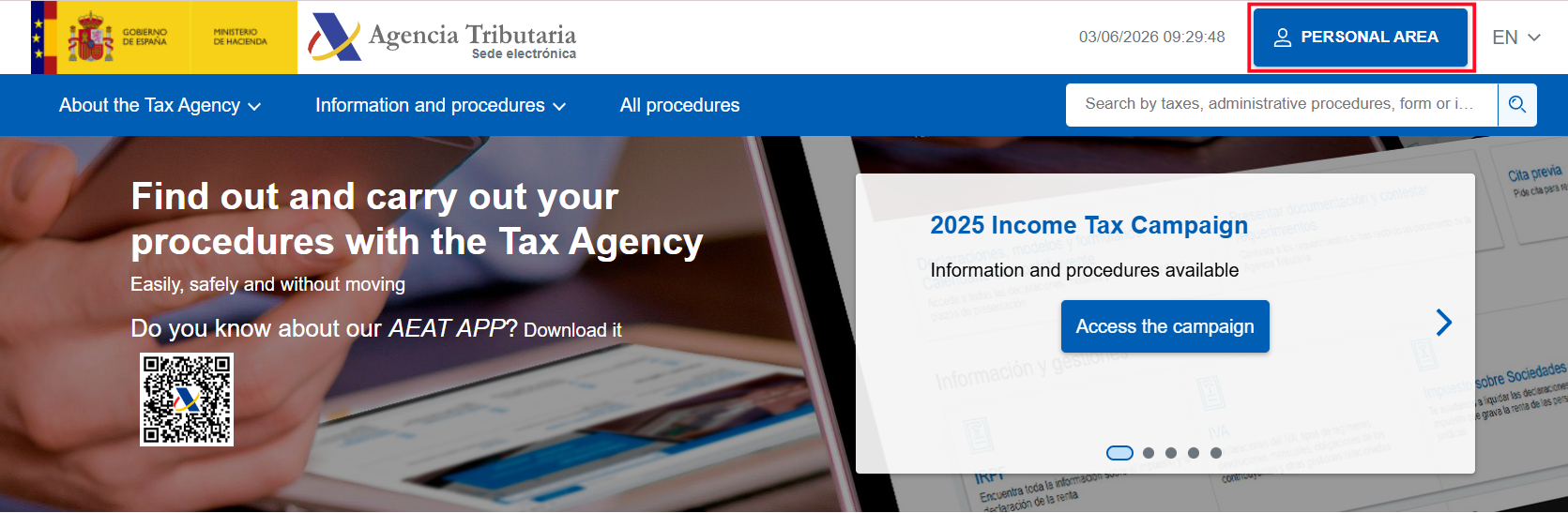
Step 2: Go to the “Personal area” section (you can search for it directly in the search bar as “My register details”).
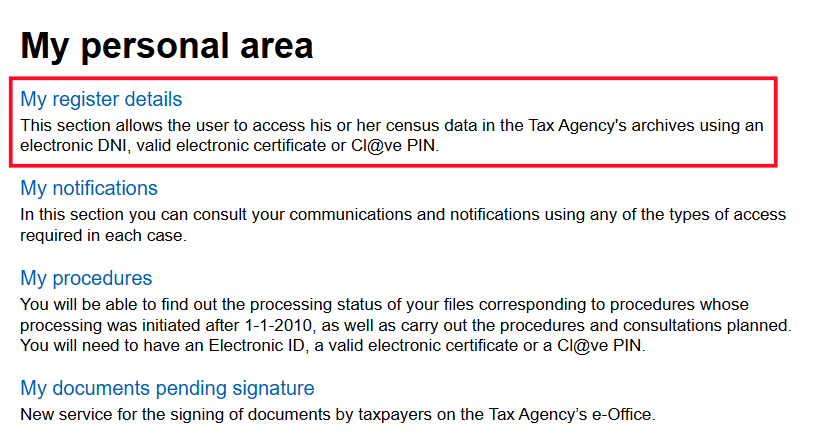
Step 3: Log in securely using your Digital Certificate, e-ID, or Cl@ve.
Step 4: Once logged in, check the “Datos Identificativos del Contribuyente” (Taxpayer Identification Information) section and inside it you will see “Apellidos y Nombre” (Last Name and First Name).
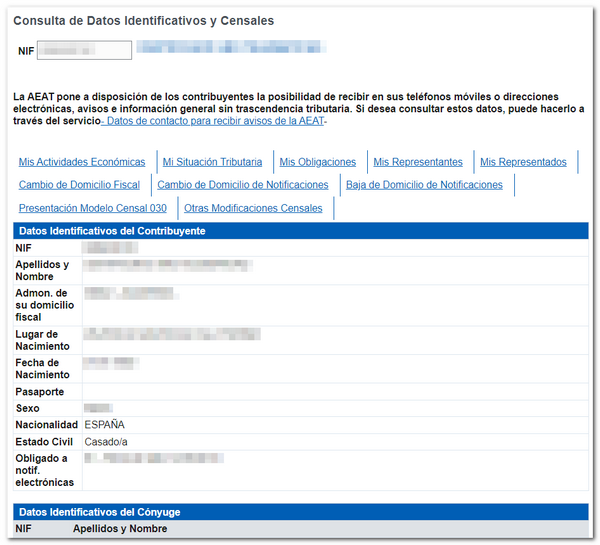
⚠️ Important note: The first and last names that appear exactly as shown on that screen are the ones that are legally valid for any tax-related procedures in Spain, and they are the same ones that our Taxolé system must use.
2. How to verify your name in Taxolé
We want everything to be transparent for you. That’s why it’s extremely easy to see which name we’ve synced from the AEAT:
Step 1: Log in to our platform: https://app.taxole.com/
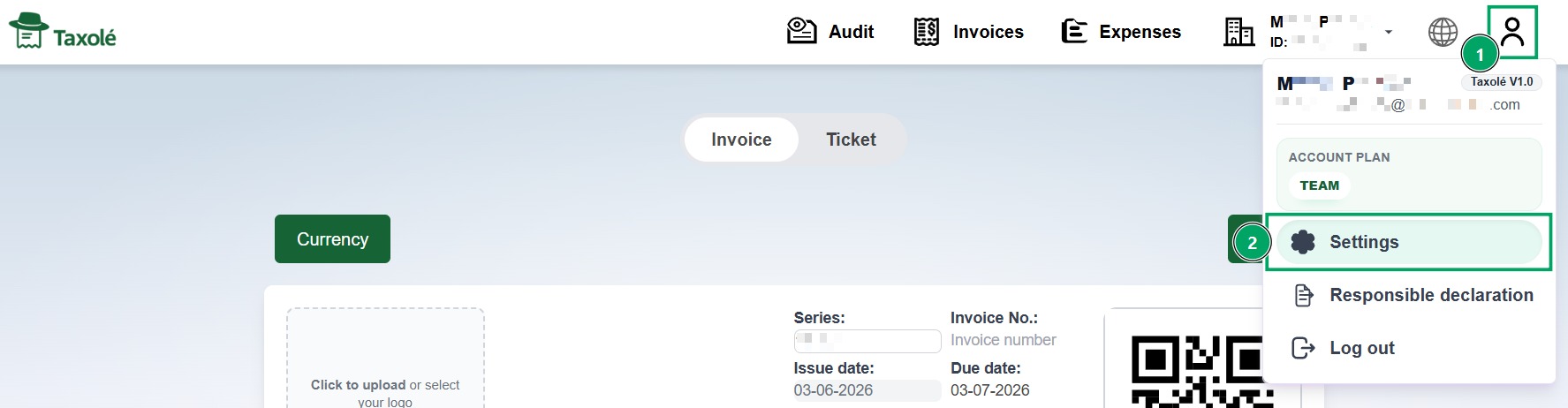
Step 2: Go to your Profile (top right corner) and select Settings.
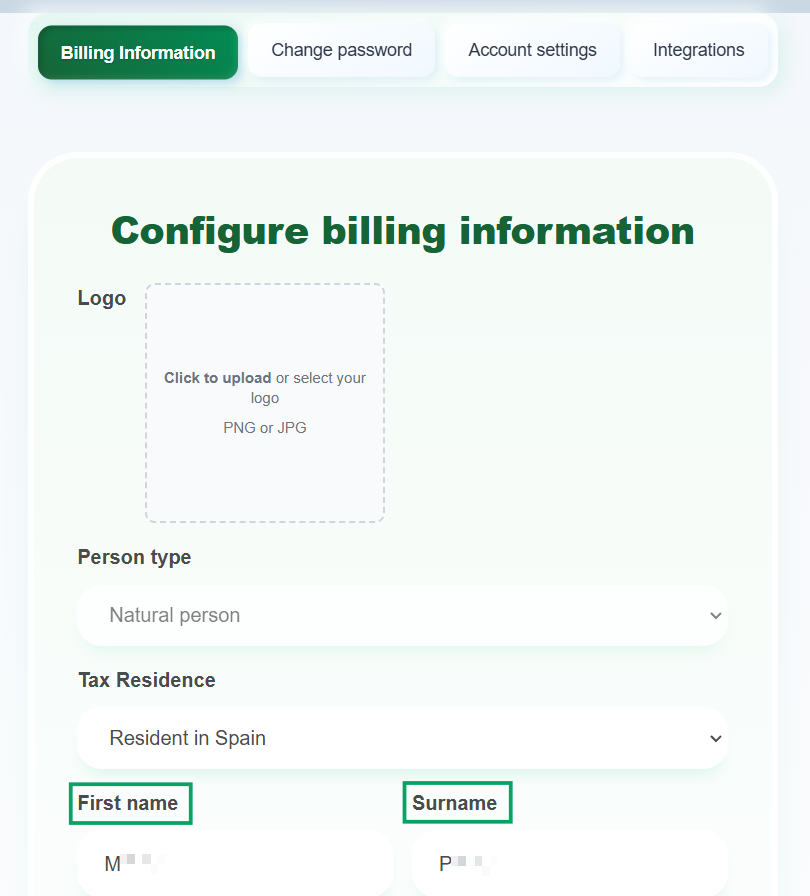
Step 3: You will be automatically directed to the Billing Information section, where you can view your first and last name, as well as other basic account details. These two fields display the official name we retrieve from the AEAT registry.
Frequently Asked Questions (FAQ)
1. Why does the app automatically change my name?
Because we operate under regulations that require billing and profile information to match exactly with the records held by the Spanish Tax Agency. This prevents your tax documents from being rejected.
2. My name in the AEAT is incorrect or out of date. What should I do?
If you have gotten married, changed your name, or noticed an error in the Tax Agency’s records, you must correct it directly with them by submitting Form 030 (for individuals or self-employed individuals) or Form 036 (for businesses) through the AEAT’s Online Portal.
- If you do this online with a Digital Certificate or Cl@ve: The change is usually applied to the Tax Agency’s system immediately or within 24 hours.
- If you submit it manually or in person: It may take between 15 and 30 days to take effect.
When will it appear in Taxole? You don’t have to wait. As soon as the AEAT processes the change and your name is officially updated in their system, Taxole will automatically detect it and print the correct name the next time you try to issue an invoice.
3. What happens if the app can’t find my name in the census?
If our app shows an error, check that you’ve entered your NIF/NIE correctly (double-check the letters and the zeros on the left). If the document is correct, make sure you’re registered in the AEAT’s regular census. This sometimes happens with foreign residents who have just received their NIE and haven’t yet been indexed by the tax authorities.
4. Will this change affect the invoices I have already issued?
No, invoices that have already been issued and closed cannot be modified retroactively to maintain accounting consistency. However, all invoices, receipts, and documents generated after the synchronization will already include your correct official name.
I don’t want to use my company name. Can I use the name of my trademark on the invoice?
No. Due to tax regulations and to ensure the legal validity of your documents, the name appearing on the invoice must be the name of the company or self-employed individual registered with the Spanish Tax Agency (AEAT). Spanish invoicing laws require that the issuer be identified by their official tax name, so it is not possible to substitute it with a trademark.